
Turn goals into working systems.
goals. is an AI To Do planner for iPhone and Mac. Capture ideas by voice, link every To Do to the goal it supports, and let Keen, collaborators, and AI agents keep the next move visible.
30-day free trial · Full feature set · No credit card required
Move the plan forward from one goal screen.
Planner found the missing move-day tasks.
Your personal goals moved. Next: protect one focused evening.
Custom lanes when life refuses the usual boxes.
One goal can hold
the whole plan.
A goal becomes a working system when the tasks, context, conversations, follow-up, and helpers all stay wrapped around the outcome. Pick a built-in lane or make your own, then keep the To Dos, notes, chat, collaborators, challenges, and agent follow-up attached to the goal they actually serve.
Categories make the plan scannable.
Use Health, Work, Money, Learning, Relationships, Mindfulness, Creative, Personal, or a custom Other label when real life refuses to fit the usual boxes.
To Dos know what they move.
Every task can stay linked to a goal, carry a cadence, hold subtodos, and show up in the week it matters.
The conversation stays attached.
Goal chats, comments, reactions, and shared notes live beside the work, so decisions stop disappearing in another thread.
Agents can own the follow-up.
Assign research, drafts, reports, code, or recurring nudges to an AI teammate that already knows the goal context.
Three steps,
then move.
Create the goal, capture the work, then let Keen and your goal team keep the next useful move visible.
-
01
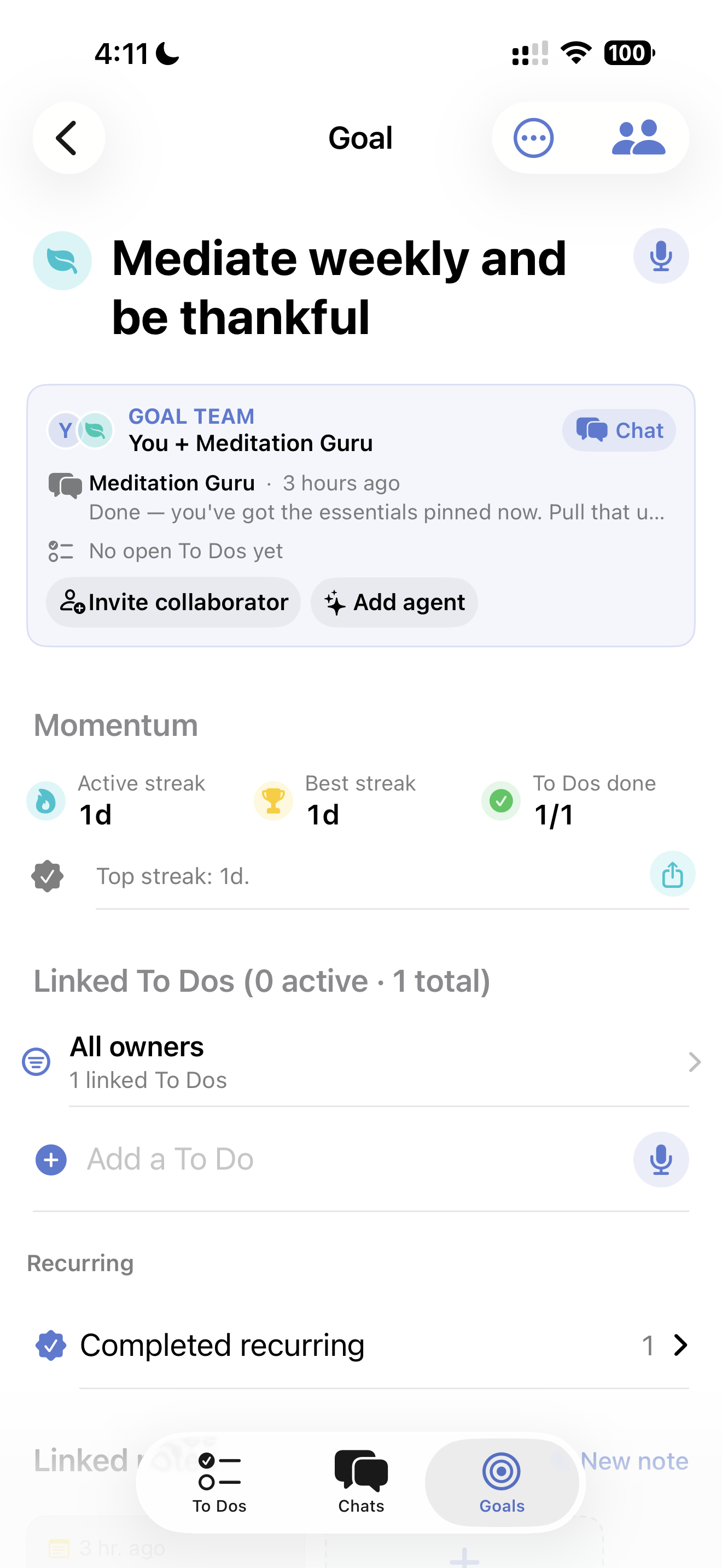
Create the goal
Start with the outcome. Keen can help turn the messy version into a goal with context, categories, and next steps.
-
02
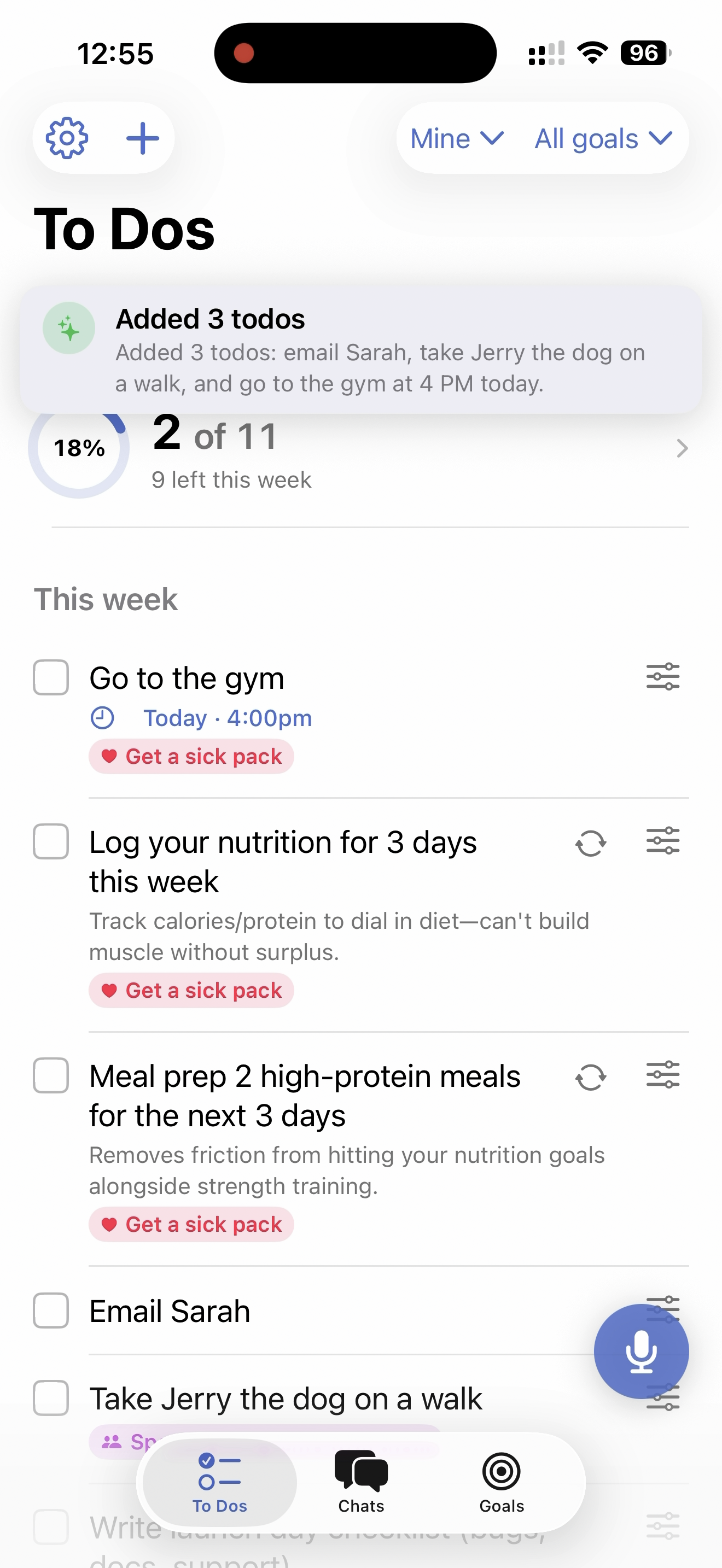
Link the right work
Capture To Dos by voice, chat, or typing. Assign them to yourself, collaborators, or agents, while keeping each task attached to its goal.
-
03
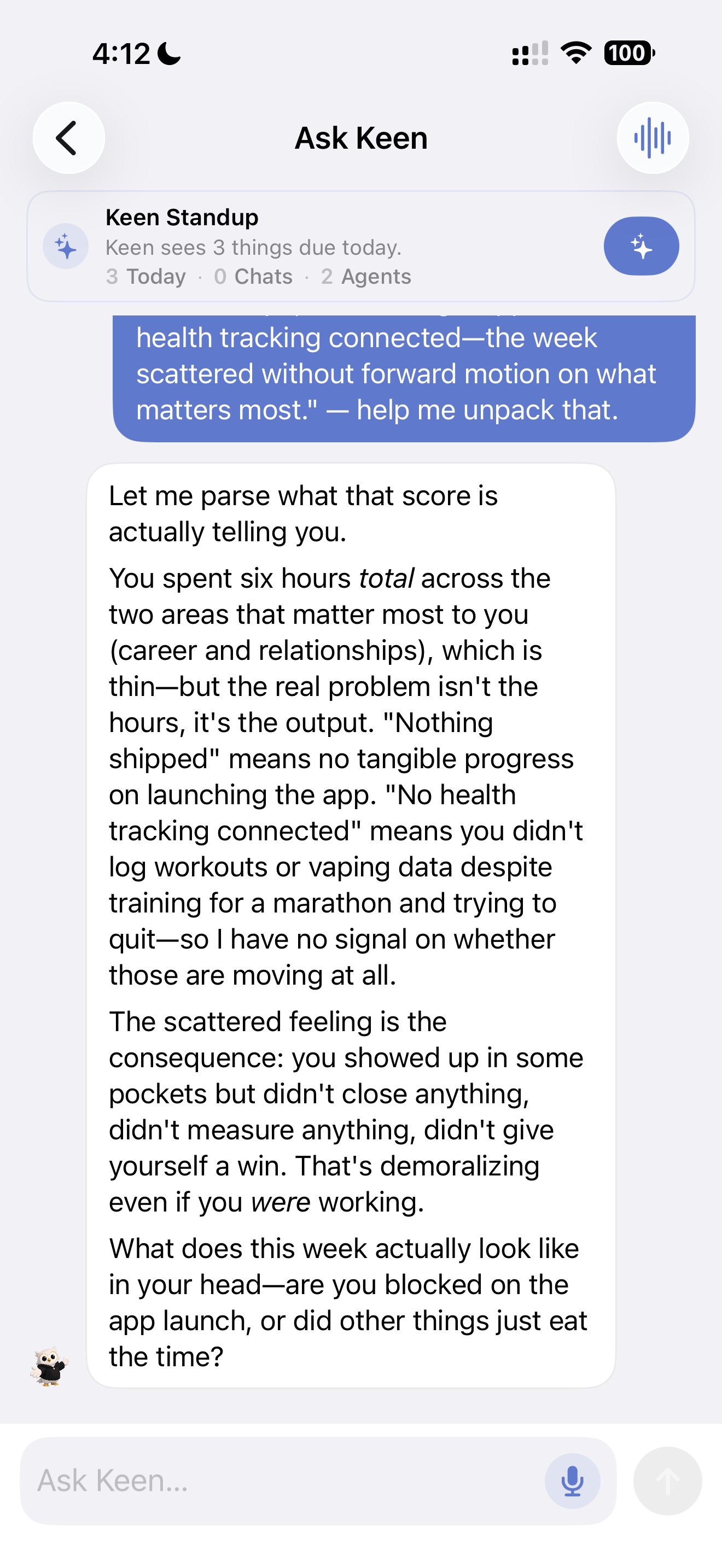
Keep momentum visible
Keen and agents can post updates, catch stale work, maintain recurring follow-up, and show what needs attention next.
Solo on Sunday.
A team by Tuesday.
Some goals need people. Some need pressure. Some need an AI agent that keeps coming back until the next step is done. goals. works for personal goals, shared plans, challenges, and builder workflows.
Share what matters
Send any goal, todo, note, or challenge to your partner, coach, or cofounder. They become a collaborator on that one item — they don't see the rest of your account, and either of you can leave at any time.
One thread per goal
Every shared goal gets its own chat. Discuss, decide, and assign work in the same place the goal lives — not in some other app you'll forget to open. It works for collaborative planning like trips, moves, launches, weddings, and family logistics.
AI teammates, not chatbots
Add an agent to a goal and assign it real work: research, drafts, code, reports, or recurring follow-up. Power users can pair Claude Code, Cowork, or Codex right into a goal's chat so the agent acts on the same todos, repo, and context you're looking at.
Pair Codex or Claude Code with a real goal.
Power users can connect a coding agent to one goal, one agent, and one repo path. The agent sees open To Dos, checklist items, chat context, and the local handoff queue — then writes progress back where the team already is.
See the MCP bridgeOptional signals.
Better context.
Your To Dos are the foundation. Calendar, Health, voice, and spending are optional signals Keen can use when you want a sharper weekly read.
Time
Calendar events classified against your goals, so you see where your hours actually go.
Money
Upload a credit-card statement and Keen extracts every transaction into categories that reflect your goals. Direct bank connections via Plaid coming later.
Body
Steps, sleep, and activity from Apple Health — processed on-device, never uploaded raw.
Voice
Sixty-second reflections, transcribed on-device, analyzed by Keen for sentiment and focus areas.
The To Do planner for people
building toward something.
Most To Do apps manage checkboxes. goals. keeps the goal, context, team, and follow-up around the work.
Private by default.
Controlled by you.
goals. touches sensitive signals like calendar, spending, health, and voice. The core app works without connecting them, and optional signals are handled with clear boundaries.
- Apple Health is processed entirely on-device. Only derived daily metrics leave your phone — never raw workouts, heart rate, or sleep data.
- Voice capture is transcribed on your device before text is sent for AI processing. You can delete any recording — or your entire account — at any time.
- Account-scoped access is enforced with row-level security in the app database, so user data stays tied to the right signed-in account.
- No ads. No data sales. goals. is $7.99/month or $59.99/year after a 30-day free trial, with AI planning, goal chats, agents, voice capture, streaks, notes, reminders, and shared goals included. Subscriptions are the entire business.
Frequently
asked questions.
How is goals. different from Todoist or Things?
Traditional todo apps treat every task as an isolated checkbox. goals. turns goals into shared To Dos, goal chats, and agent assignments, so you can work on the right things with the right people or AI helpers. Weekly briefings still show whether your time and effort matched what mattered.
Can I really add todos just by talking?
Yes. Tap the mic button on the Todos or Goals tab, say what you want to add in natural language, and Keen sorts it into structured todos or goals for you — picks cadence, chooses a category such as Personal or Finance, and even links to related goals.
Do I need to connect my bank to use the app?
No. The core todo list, voice capture, goals, and weekly briefing work without any external connections. Apple Calendar, Apple Health, and statement upload (for spending analysis) are optional bonus signals that make the weekly briefing smarter. Direct bank connections via Plaid are coming later — for now, you can upload a credit card or bank statement PDF and Keen will extract the transactions for you.
Is my data private?
Raw Apple Health samples never leave your device — only derived daily aggregates are uploaded. Voice capture is transcribed on-device before text is sent for AI processing. User data is protected by row-level security policies so access stays scoped to the right signed-in account. We never sell data or run ads.
Where can I download goals.?
goals. is live on the App Store for iPhone and Mac. The same build runs on both platforms and syncs instantly between them — one download, both devices.
Is goals. an AI coaching app?
Yes, but it is not just a chat box. Keen helps you choose the next right To Do, create plans from voice, route work to friends or agents, and write weekly briefings from your real goals, completed todos, calendar time, reflections, and optional health and spending signals.
Is goals. the best AI todo app for iPhone?
goals. is built for people who want a todo app that knows the goal, the team, and the next move. It ties tasks to goals, lets you add todos by voice, supports per-goal chats with humans and AI agents, and writes an honest weekly review as backup proof.
What does goals. cost?
Every new account gets a 30-day free trial with every feature unlocked — no credit card required at signup. After the trial it's $7.99/month or $59.99/year (about 37% off). That includes AI planning, goal chats, agents, voice capture, streaks, notes, reminders, and shared goals. Your data is never deleted: if you decide not to subscribe, your account simply goes read-only and you can come back any time to pick up where you left off. No ads, no data sales — subscriptions are the entire business.
Is there a Mac app?
Yes. goals. runs natively on Mac (macOS 14+) with the same features as the iPhone app — todos, goals, check-in briefings, and voice reflections. Changes sync instantly between your iPhone and Mac via realtime sync, so you're always looking at the same data.
Can I share goals with my partner, coach, or team?
Yes. Any goal, todo, or note can be shared with another person. They become a collaborator on that one item — they don't see anything else in your account. Each shared goal also gets its own chat thread so the conversation lives next to the work. Either side can leave at any time.
Can I run a challenge with friends?
Yes. Goals can include shared challenges with check-ins, progress rows, and momentum summaries. They work for fitness pushes, sober months, launch sprints, fundraising goals, or any shared target where visible follow-through matters.
What's an AI agent in goals.?
An agent is an addressable AI teammate you can add to a shared goal. You can assign it todos, mention it in chat, and it replies the same way a human teammate would — except it actually does the work. Agents are owned by you, so what they're allowed to do (and what model powers them) is fully under your control.
Can I connect my own coding agent to a goal?
Yes — goals. exposes an MCP (Model Context Protocol) bridge, so you can add the goals-app server as a connector in claude.ai/settings/connectors, connect Codex with codex mcp login, or use a personal access token. Once paired, the coding agent reads the goal's open todos, checklist items, repo path, and chat history, and writes results back as the agent. You'll get an APNs push when the work lands.
Will there be an Android version?
goals. is Apple-first — iPhone and Mac. An Android version isn't on the immediate roadmap, but we'll reconsider once the app is stable and we've learned what works.